Moby Max Giveaway!
Do you teach your own technology or computer class?
Do you use specialized instruction for each student in your classroom?
Do you love easy ways to track data?
Do you work on Common Core Skills and want an easy way to be reinforced at home and school?
MobyMax can do just that + MORE!

Have you ever heard of MobyMax? If not you are missing out! Read on for some great info and a chance to win a year long Pro License!!
I could go on and on about the reasons I love MobyMax, but I’ll just leave you with 3! My old school had and loved MobyMax so I’m happy to be able to make it work again this year!
1. Easy Data Tracking
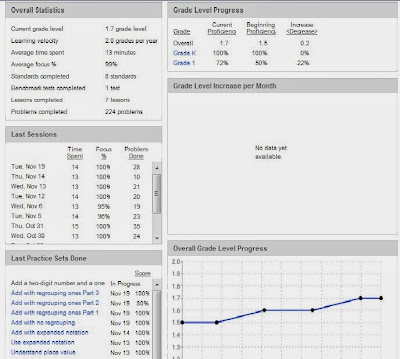
- I can easily track which students are where in their lessons! With placement tests taken first, each student starts at their level.
- You can assign for students to do specific tasks or a skill – hello could RtI be any easier?!
- you can even enter IEP goals!
- the graphs are easy to read and great for parents to see at conferences
- Easy progress monitoring!
2. Reading Content
- Vs. other programs (Khan Academy for example) Moby Max has great reading content!
- It focuses and is aligned with Common Core so you can specifically see how your class does on individual standards or what they each need to work on individually.
- It has nonfiction options which is great for new testing
- Since I don’t teach math this year – I can really focus on specific reading skills with my students.
- There are worksheets that go over each skill that are their practice sets to reinforce the skill if the student needs it in front of them. I plan to use the extra sets for a quick assessment for my students.

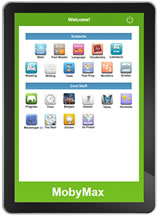 3. Accessibility
 - You can access at home
- You can access at school on Ipads, computers, in lab, in room
- easy for students to login and play
- I love that students get 1 min of games for 5 min of work. and MobyMax keeps track of it all! My students know their game time and decide when they want to play the FUN games because if they use all their time they know they are kicked off to do more work 😉
If you want to try this out in your room this year be sure to enter using the Rafflecopter below!!


No Comments
Leave a Comment
The ULTIMATE Amazon Prime Day 2022 for Teachers or Educators Guide – your heart wants these!
The Prime Day 2022 guide for teachers is here!! These are the Amazon Prime Day…
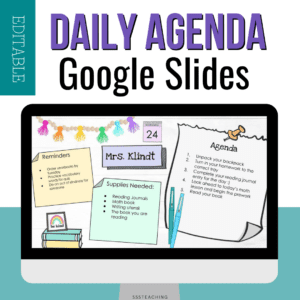
Plan your days! How to create a daily agenda in Google Slides for your classroom
Daily agenda editable Google Slides templates help you stay organzied! A great addition to any…
Back to School Virtual Field Trip – start your school year off right!
Virtual Field Trips are the *next* coolest thing! Who doesn’t love a chance to see…

Back to school 2021 – resources at your fingertips for post-COVID
Back to School 2021….may be a possibility for you at least for some amount of…

Meet the Teacher Open House Ideas for Back to School 2021
Meet the Teacher Open House is one of the biggest nights of the year –…
Get your hands on -The ULTIMATE Amazon Prime Day 2021 for Teachers or Educators Guide
The Prime Day 2021 guide for teachers is here!! These are the Amazon Prime Day…
Our school uses BrainPop, RAZ Kids, Flocabulary, and IXL. MobyMax sounds amazing thanks for the opportunity !
We currently use Success Maker Math in our computer lab. I have a few classroom iPads and have been searching for something to use on those that will actually track student data. MobyMax looks like it would be great way to reinforce common core and track student data. Thank you for sharing this.